
Convenient
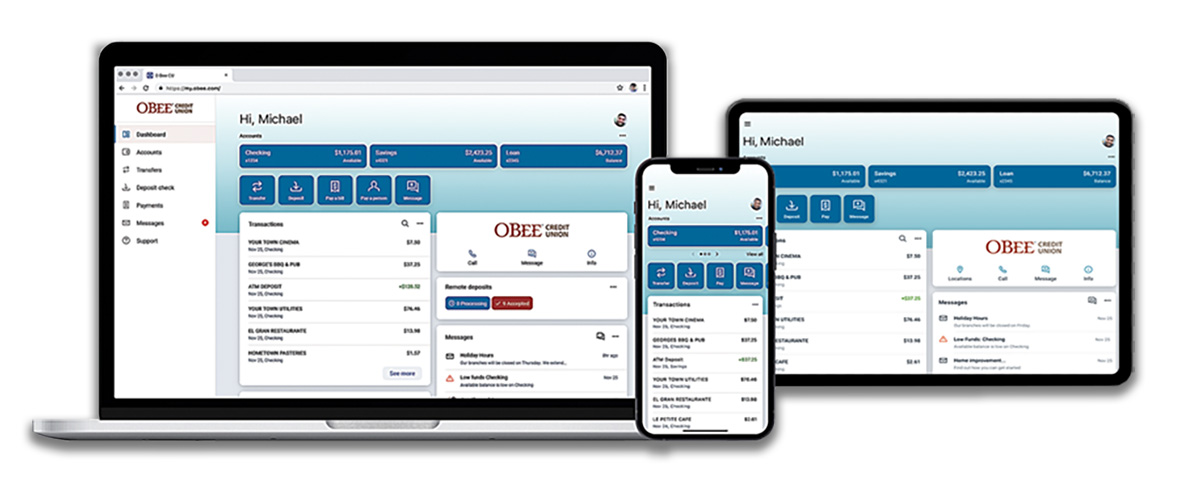
Manage your digital banking from anywhere. Enjoy a seamless experience with the same powerful tools for online and mobile banking.

Manage your digital banking from anywhere. Enjoy a seamless experience with the same powerful tools for online and mobile banking.

Your financial information is secured with multiple layers of highly-encrypted protection; it stays private and secure.

Arrange and organize your account dashboard the way you want it. Add notes to transactions and easily track your finances.


.png?language=en-US)
Dashboard: A one-stop overview of all your accounts. You can customize it to view what you want when you want. View balances, activity, check images and search transactions.
Transfers: Transfer to and from your O Bee accounts.
Transfer to Banks and CUs: Easily transfer money to other financial institutions where you have accounts.
Member to Member Transfers: Transfer money from your O Bee account to the account of another O Bee Member.
Bill Pay: Manage and pay your bills via the app or your desktop. You can also schedule automatic and recurring payments.
Pay a Person: Pay your friends directly from your O Bee account. No need to use peer-to-peer apps.
Check Management: View and order checks. Deposit checks with the mobile app or the camera on your desktop computer.
Set Up Alerts: Our account notification service sends alerts directly to your email or phone. Stay connected with balance, transaction, and login notifications for each account.
eStatements: eStatements are a more secure way of receiving your account information each month. Get a comprehensive summary of your account that only you can access any time you want. Electronic statements are safe, easy and highly secure.
Card Management: If you've misplaced your debit or credit card, you can lock your card temporarily. Once you find it, unlock it. You can also reorder a card, or report a card lost or stolen.
Download Transactions: Download transaction activity for a specific date range, an entire month or a whole year. Choose from many file types like .csv, .txt, .ofx, .qbo and .qfx.
Mobile Wallet: Load your O Bee debit and credit cards to your phone’s mobile wallet for security and convenience. (mobile only)
Remote Check Deposit: Check deposit is available with your phone or tablet. Deposit a check by taking a photo of it. Simply tap on the deposit tab and follow the easy prompts. Deposits can go into savings or checking.
Notes, Tags, Photos: Keep track of your transactions by adding notes, tags, and images. Understand your activity and find what you’re looking for—fast.
Credit Score: If you have a loan or a credit card with O Bee, you'll get free access to your TransUnion credit score. This is a “soft pull” and will not affect your credit. Take control of your credit by being informed.
One-Touch Access: Touch ID allows you to sign into your account with your saved fingerprint. Facial recognition is also supported.
Secure Messaging: You can use mobile or online banking to send a private, secure message to an O Bee representative during the workday. You will generally hear back within the day.
Documents: View eStatements, tax documents, and credit card statements.
Find Locations: Find branch locations, shared branching centers, and ATMs.
ScoreCard Rewards: Your ScoreCard Rewards are automatically linked to your online banking portal.* No sign-up necessary. Your reward points increase as you use your debit and credit card for purchases. Just click on ScoreCard Rewards to see your total points, shop for merchandise, and more. *Points may take 30 days to post to your account.
Electronic account statements that you can access 24/7 through secure, Online Banking at no cost.
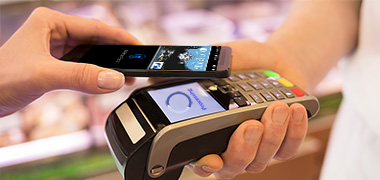
Pay at the register with your mobile phone. Quick, easy and secure. Learn more.
Credit scores mean a lot. A good to excellent credit score could save you hundreds of thousands of dollars over your lifetime.
HOW TO: Enroll in Online Banking
HOW TO: Enroll in Bill Pay
HOW TO: Add a Savings Account
HOW TO: Edit Preferred First Name
HOW TO: Organize Accounts
HOW TO: Organize Your Dashboard
HOW TO: Find Account Numbers
HOW TO: Rename an Account
HOW TO: Make a Transfer
HOW TO: Use ScoreCard Rewards
HOW TO: View eStatements
HOW TO: Find Your Member Number
HOW TO: Find Your Share Number
HOW TO: Member to Member Transfer
Online Banking allows you to view your accounts and conduct online transactions with your PC or laptop and an internet connection. The mobile app gives you equal access via your phone or tablet, so you can bank while you're away from your home. Mobile allows you to deposit checks with your phone and use touch ID or facial recognition.
Click on the "hamburger" symbol (three lines ☰) at the top of the page, then click on Dashboard.
To report a lost or stolen card, first click on the account associated with the card. You will see the white Card management tile on your dashboard. Choose the card that was lost or stolen. Click on Report lost/stolen and follow the prompts. If your card was lost or stolen, you would be wise to lock it as well. See steps below.
To lock your credit or debit card, first click on the account associated with the card. You will see the Card management tile on your dashboard. Choose the card you want to lock. Click on the green sliding button in the upper right. You will be prompted to confirm that you want to lock your card. You may unlock it at any time by clicking the sliding button again.
Select the account you’d like to view
View the Transactions panel to see all account activity
Two-Factor Authentication is a security measure that allows you to request a one-time access code to login to online and mobile banking. The code attaches an added layer of security in addition to your unique username and password. This security measure helps to verify you and better protect your credentials and the accounts you can access.
Two-Factor authentication uses a unique one-time access code to verify identity and log on to digital banking. If you are unable to receive text (SMS) messages, you can choose to receive your access code via a phone call.
If you are still having trouble, contact O Bee to ensure we have the correct phone number on file.
If you don't remember your login credentials, you can recover your account by going through the Forgot? password steps. If you need more help, please contact us.
Credit scores are only available for Members with a loan or a credit card on their account.
You can add notes, tags, and images to any transaction in online or mobile banking.
All tags, notes, and images added to transactions will be available across all devices when you login in the future.
You should retain the check for seven days after the deposit has posted to your account. After that time, you may shred it.
Mobile deposit is available for all checking accounts, but you must enroll in mobile banking first. Mobile deposit can only be done through a mobile device or tablet. There is no fee for mobile deposits.
You can make transfers between your O Bee accounts and other financial institutions once an external account has been verified.
To set up an external transfer on online
Click Transfers
Click +External Account to set up a new linked account
Confirm a deposit amount into your other financial institution
Finally, schedule a new one-time or recurring transfer
To set up an external transfer on mobile
Click the MENU icon in the upper left corner.
Click Settings.
Click External Account to set up a new linked account.
Confirm a deposit amount into your other financial institution.
Finally, schedule a new one-time or recurring transfer.
Please note: Transfers to another financial institution may take 2-3 business days to process.
Recent changes to Safari cause the cookie setting to block online banking sign-in. To work around this, you can use a different browser, or disable cookie detection in Safari. Here’s how:

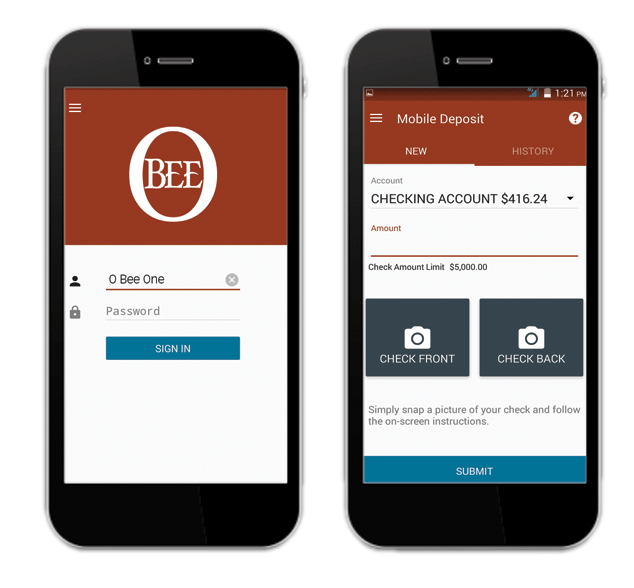
Bank on-the-go with O Bee Credit Union's mobile app. Check balances, transfer funds, deposit checks, pay bills, and more - all at your fingertips!